New Radio2 feature: You can now route any post to one or more categories.
Each category is a feed containing only those posts that are in the category.
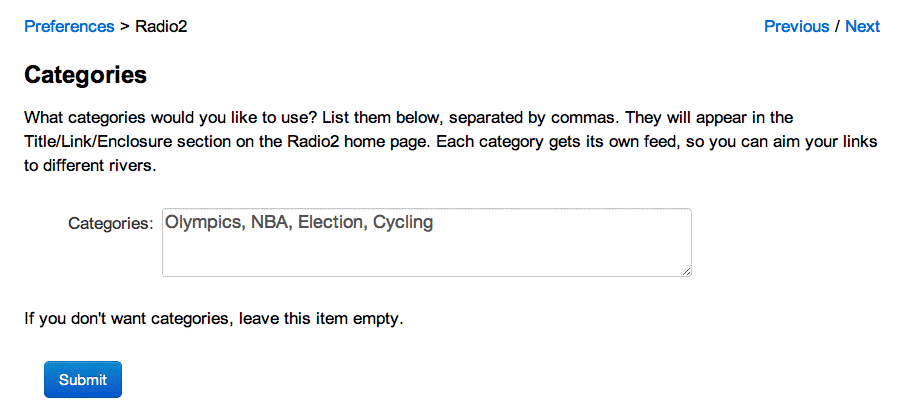
There's a new prefs page called Categories. Screen shot.
If you don't want to use categories, just leave it blank.
Otherwise, enter the category names, separated by commas. The order they appear in determines the order the appear in the user interface. You can put blanks between the category names, but they are ignored by the software.
The category feeds are stored alongside the main feed. The name of the feed corresponds to the name of the category. So a category named Olympics will have a feed named olympics.xml. A category named Simple Syndication will have a feed named simpleSyndication.xml.
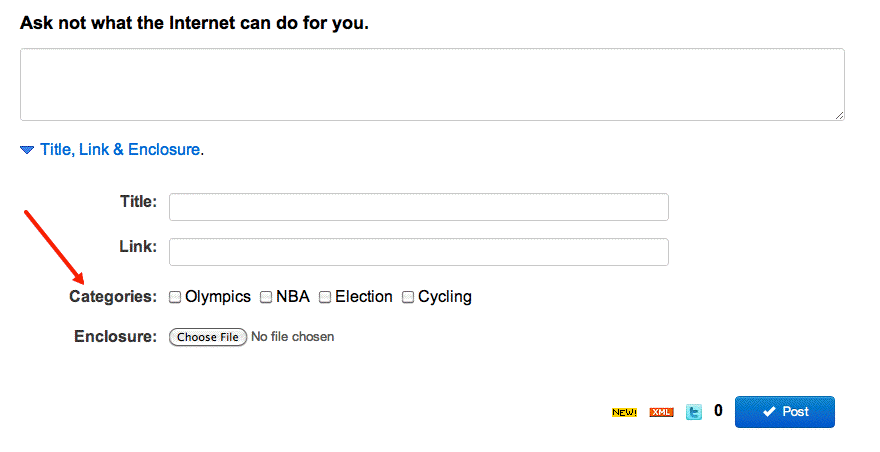
The categories are shown in the Title, Link & Enclosure section on the home page of the Radio2 site. Click the wedge to reveal them. Screen shot. As you can see they're just checkboxes.
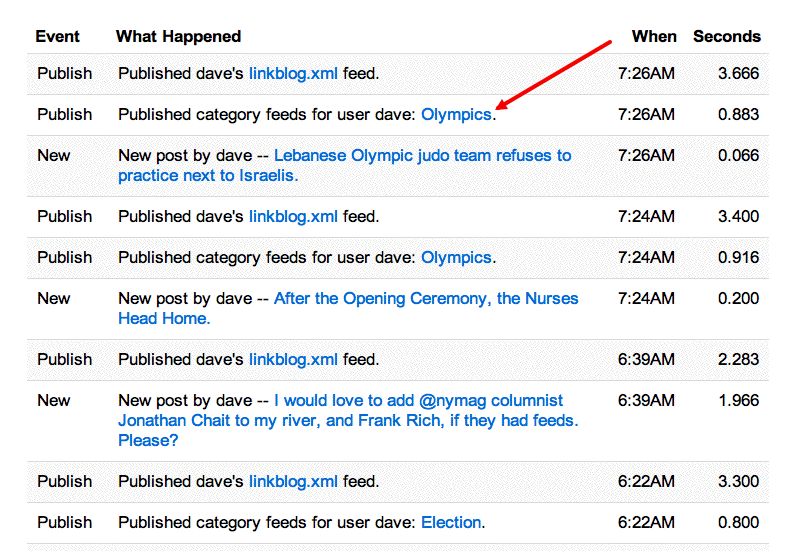
If you want to find the URLs of your category feeds, look in the Log page after adding an item to a category. There will be a link to the feed under its name. Screen shot.
If you want to change the category assignment of a post, click the Edit icon in its row in the history table, uncheck the category box, and save. The relevant category feeds will be rebuilt.
If you're running your Radio2 linkblog on my server, the feature is already deployed, and you can try it out right away.
If you're running your own server, bring radio2.root to the front and choose Update Front Tool from the Tools menu to get the latest parts.
I've wanted this feature for a while, but with the Olympics starting there's a pressing need.
Here's my new Olympics feed, as a demo of the feature.
It's a simplified version of the categories feature in Radio 8 (2002).
There are a bunch of new feed elements in the RSS that Radio2 produces.
There are now category elements for the category feeds, and category elements for items that are assigned to categories in all feeds they appear in.
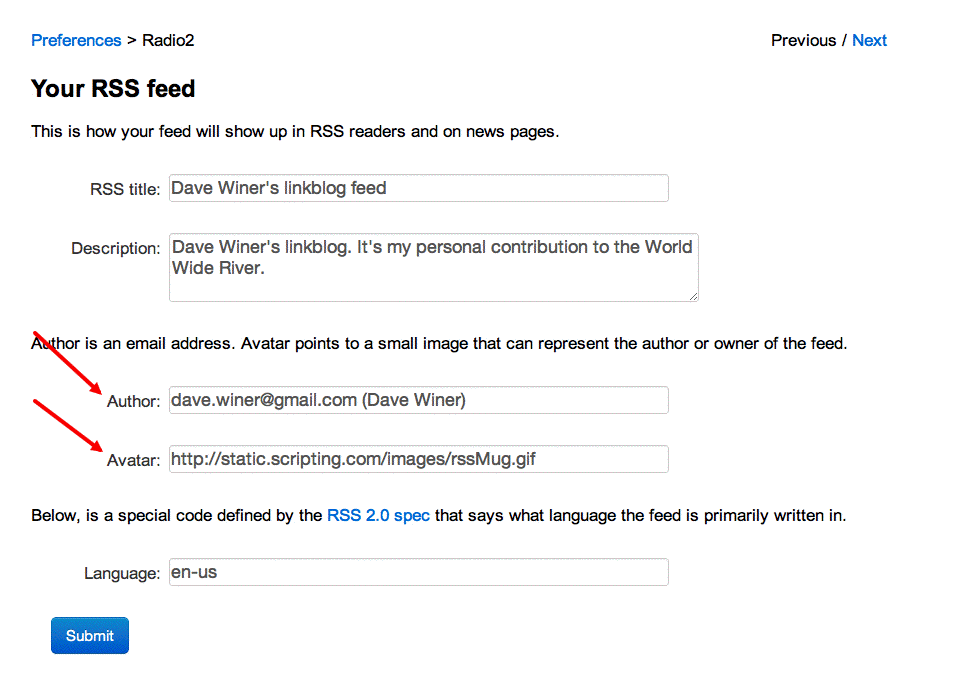
We now implement the webMaster element, which contains the user's email address, and there's a place on the Feed prefs page to enter that.
Screen shot of the new Feed prefs.
There's also a place to enter a link to an avatar image that can be used to represent the user in a social network. Starting to bump up the priority of the loosely-coupled Twitter-like network. The avatar image is not provided for directly in RSS 2.0 so I added it to the microblog namespace.
The default avatar is a small RSS coffee mug. :-)
Please watch for breakage, and report problems on the Frontier-user mail list.
Remember to say what you did, what you expected to happen and what actually happened.
Screen shots and URLs are often helpful when tracking down problems.
radio2suite.inituser
radio2Suite.initFeed
radio2Suite.buildRss
radio2Suite.data.homePageEditBox
radio2Suite.data.prefsOutline
radio2Suite.editPost
radio2Suite.newPost
radio2Suite.publish
radio2Suite.publishThread
radio2Suite.viewCategories
radio2suite.main