Last update: Tue, Nov 22, 2011 at 9:56 AM.
Exporting is automatic. Just by posting to your blog you're exporting. Every time you post we update your archive. In the last set of changes this became much more efficient.
Importing requires a command, and a warning: Whatever you have stored in Radio2 will be overwritten. It really should only be done for empty accounts. But that's up to you.
Since exporting does not export passwords and apiKeys, we turn off certain features after importing, basically anything that required special permission or a password. Examples: Adjix, Bitly and custom S3 prefs. You can use the Prefs system to set them up again after importing.
Also, we do not import callback scripts. So if you've customized Radio2 with user-level callbacks, you'll have to arrange for them to be moved some other way. This is a security thing.
-
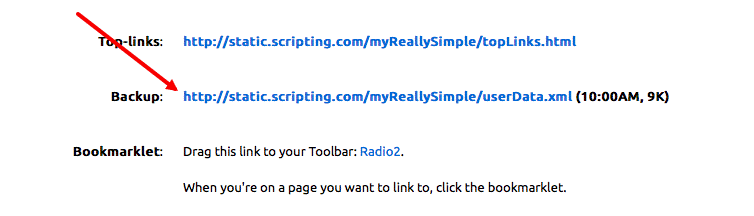
On the site you want to export from: Get the URL of your exported site. Go to the Links page in Radio2. Right-click on the Backup link. Copy the link to the clipboard.
Screen shot.
On the site you want to export to: Choose Import from the menu and paste the URL into the dialog. Click the Import button.
It generally takes a minute or two, depending on how many posts you have.
-
-
Important: Only system operators should test this at this time. Let's get all the glitches out before trying to support it.
1. Create a new user on your server.
2. Log on as that user.
3. Click on Import in the menu.
4. Enter the url to my exported linkblog. Submit.
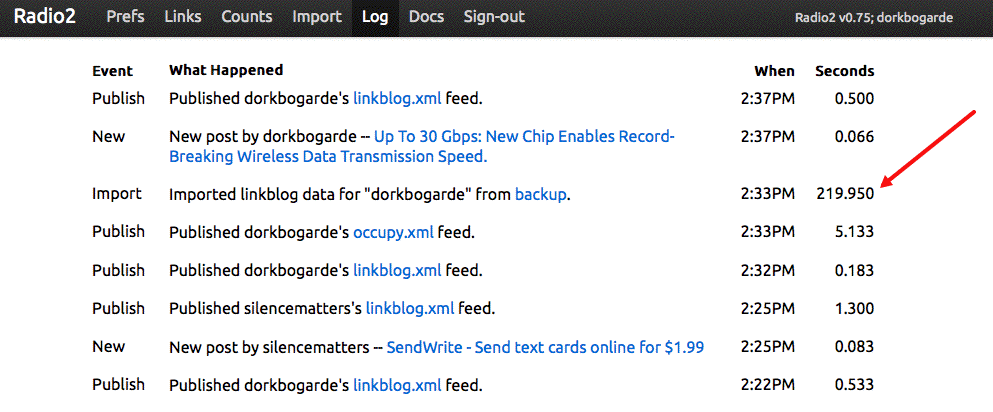
You can follow the progress by refreshing the home page. When it's done there will be an entry in the log.
Screen shot.
Try posting to the newly imported blog and see what happens. See what's on the Links page.
If it works, you should just be able to continue from there.
-
-