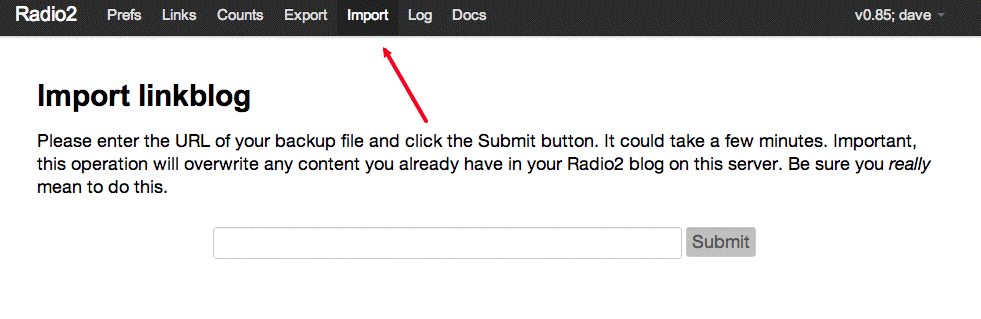
New command in menu of Radio2, exports the current user's linkblog to a fixed location in the managed space.
We show the URL on the screen and in the log.
There already is an Import command in the menu, dating back to late November 2011. We used to fully export the blog after every post, but this proved too expensive for my own blog, which has been running since late 2010. So I figured that eventually it would be too costly for other Radio2 users.
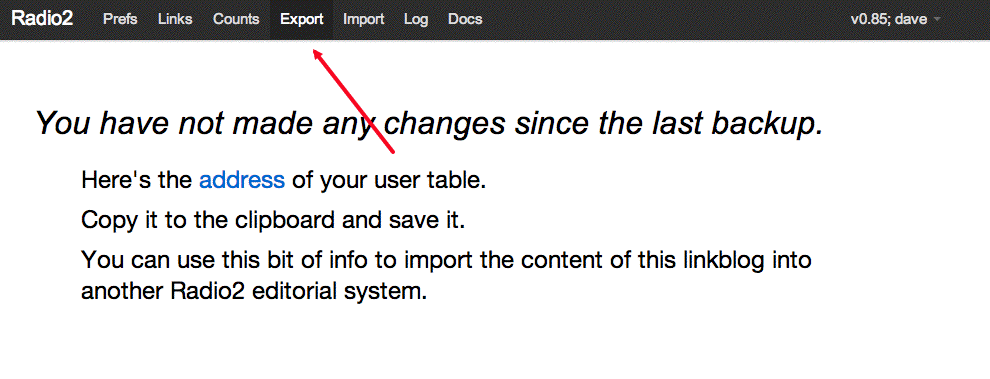
Instead we export every hour, in the hourly script, but only when there has been a change. The link is added to the Log. But this appears to be somewhat unreliable? Not sure.
This way we have an explicit command for exporting, and now can document the process for exporting a blog from one server, and importing it into another.
Here's the exported version of my linkblog.
Found a bug in exporting. If a category name has a blank in it we end up generating an XML element whose name has a blank in it.
I had a category named "Hurricane Isaac" and ended up with a value named <Hurricane Isaac>.
XML names cannot contain blanks. There are other rules we don't enforce here, but now we replace blanks with underscores.
I now see why it takes so much time to backup a user, and why the backups are so huge.
We keep a cache of renderings of the HTML archive. That does not need to be backed up (it's just a cache).
So I'm going to try copying the table, deleting this huge sub-table in the copy, and backing that up instead. Let's see how much smaller things get.
Before the change, my backup is 7,231,048 characters.
After the change, it's 20,513 characters. Quite an improvement!
Go to the Radio2 website on the server you want to move to, click on the Import command in the menu, and enter the URL of your backup. It should populate the account you're using with the content of the previous site.
radio2Suite.data.html.exportPageTemplate
radio2Suite.viewExport
radio2Suite.viewMenu
radio2Website.export
radio2Suite.utilities.backupOneUser